
Choosing the Best Trading App to Earn Money in India
📱 Explore top trading apps in India to boost your earnings. Learn about features, safety, and tips to maximise your returns through user-friendly mobile platforms.
Edited By
Sophie Clarke
Selecting the right trading app in India can significantly impact your investment journey. With dozens of platforms available, knowing how to download and evaluate these apps helps you avoid common pitfalls and make informed decisions.
A trading app should not only offer a smooth user experience but also cater to your trading style and security needs. For example, a newcomer to stock markets may prefer an app with a simple interface and educational tools, while an experienced trader might prioritise advanced charting and real-time data.
When downloading a trading app, check its compatibility with your device’s operating system. Most Indian investors use Android or iOS phones, so ensure the app supports the latest version of your OS to avoid performance issues. Popular apps like Zerodha Kite, Upstox Pro, and Angel Broking provide clear download instructions on Google Play and the App Store.
Always download trading apps from official sources to minimise risks of malware and data breaches.
Next, review the app's features carefully. Key elements to consider include:
User Interface: Easy navigation reduces errors during trades.
Security: Look for two-factor authentication and encryption.
Trading Options: Support for stocks, mutual funds, derivatives, or commodities.
Research Tools: Market news, expert recommendations, and charting capabilities.
Customer Support: Accessibility through chat, email, or phone.
Installation usually involves signing up with your PAN card and completing e-KYC (electronic Know Your Customer) verification to activate your trading account. Many apps now allow seamless integration with Aadhaar and DigiLocker to speed up verification.
Once installed, spend time exploring how the app handles order placement, payment options like UPI or net banking, and portfolio tracking. This hands-on approach helps you understand if the platform matches your trading frequency and risk appetite.
Choosing a trading app is about balancing convenience, features, and trust. Take a test run with virtual trading features where available, before committing real funds. This helps you avoid surprises and trade confidently in India’s dynamic markets.
Trading apps have reshaped how people in India approach investing and trading. They provide instant access to stock markets and simplify the process, which was once complex and time-consuming. Understanding what these apps offer and their advantages helps you pick a platform that suits your trading style and goals.
A trading app is a software application that lets you buy and sell stocks, mutual funds, commodities, and other financial instruments right from your mobile device or tablet. Unlike traditional brokerages where you called or met your broker, trading apps empower you to execute trades instantly, observe market trends, and manage your portfolios anytime, anywhere. For example, apps like Zerodha Kite or Angel Broking enable direct access to the National Stock Exchange (NSE) and Bombay Stock Exchange (BSE).
Trading apps connect you directly with Indian stock exchanges such as the NSE and BSE, enabling instant participation in market activities. This access is crucial, especially for investors in smaller towns who previously faced delays or difficulties reaching brokers. Now you can track Sensex and Nifty 50 indices live and place buy or sell orders on equities or derivatives with a few taps.
These apps deliver real-time price updates, corporate announcements, and market news. Such instant alerts help you react fast to sudden market movements—whether it’s a change in RBI policy or an earnings report from a major company like Reliance Industries. You can even set personalised notifications for your favourite stocks to stay ahead without constantly monitoring the market.
Trading apps simplify payments and settlements, integrating with Indian banking and payments systems like UPI, IMPS, and net banking. When you place an order, the app handles the entire transaction quickly, reducing the typical lag and paperwork associated with traditional trading. You can also view your transaction history, holding details, and account statements on the go.
Zerodha Kite is known for its minimal brokerage charges and intuitive interface. It offers powerful charting tools and advanced order types, making it a popular choice among active traders. The app supports investments across equities, commodities, and mutual funds, plus it syncs with Zerodha’s web platform seamlessly.
Angel Broking’s app offers features tailored for beginners and experienced investors alike. It provides research reports, goal-based investment advice, and easy portfolio tracking. The integrated ARQ tool helps with automated personalised recommendations, which can be handy if you are starting out.
Upstox attracts traders with its competitive pricing and smooth user experience. It allows margin trading and offers detailed analytical tools, catering well to those who execute frequent trades. Its quick onboarding and support for multiple devices make it convenient for tech-savvy users.
5paisa stands out for its low-cost trades and multiple investment options, including insurance and loans alongside equity trading. The app has simple navigation and features useful for both self-directed investors and those seeking advisory services.
Choosing a trusted trading app with transparent fees and reliable features helps you trade confidently and manage your investments securely in India’s fast-moving markets.
Choosing the right trading app is more than just picking a popular name; it directly influences your trading efficiency, investment growth, and overall experience. An app that suits your specific needs can save you time, reduce extra charges, and provide necessary tools for sound decision-making.
Brokerage charges and fees play a major role in deciding which app to use. Many apps offer competitive brokerage plans, ranging from flat fees per trade to percentage-based charges on transaction value. For example, Zerodha charges ₹20 per trade across segments but upstox offers free delivery trades for certain plans. These costs add up quickly, especially if you trade frequently, so evaluating the fee structure helps control costs and maximise profits.

User interface and ease of use matter because a cluttered or confusing app can lead to mistakes or missed opportunities. A simple, clean design with easy navigation is ideal. Many investors prefer Angel Broking for its intuitive layout, while others appreciate the minimalistic style of 5paisa. Testing apps through trial versions or viewing demo videos can help you decide which interface feels more natural to you.
Your choice also depends on the range of investment options available. Some apps focus solely on equities, while others offer commodities, mutual funds, and derivatives. If you want to diversify within a single platform, upstox or Angel Broking provides access to multiple asset classes. Choosing an app with the right mix of instruments ensures you won’t need additional platforms later.
Lastly, research and analysis tools can influence your success, especially if you manage your portfolio actively. Apps like Zerodha Kite and Angel Broking offer detailed charts, technical indicators, and expert reports. If you prefer a data-driven approach to trading, look for apps that provide real-time updates and customised alerts to assist timely entry and exit decisions.
Always check supported operating systems (Android, iOS) before downloading. Most Indian trading apps support both Android and iOS, but some versions might roll out features slowly or might not support older OS versions. For instance, using the latest Android 12 or iOS 15 ensures smoother app performance and security enhancements.
Device specifications like RAM, storage, and processor speed affect app usability, especially when dealing with live market data and multiple tabs. Mid-range smartphones with at least 4GB RAM can handle trading apps well. Some apps specifically advise minimum specs to avoid lag or crashes, so verifying this can prevent frustrating trading sessions.
Lastly, internet connectivity needs matter a lot. Stock markets operate in real-time, so a stable internet connection avoids missing crucial trades. Using 4G or 5G data or reliable home broadband enhances responsiveness. Beware that public Wi-Fi, often unstable and insecure, can disrupt your transactions or cause security risks.
Picking the right trading app tailored to your needs ensures better control over finances, smoother operations, and improved confidence as an investor. Taking the time to assess charges, usability, investment options, and technical compatibility really pays off in the long run.
Downloading and installing a trading app correctly is the foundation to a secure and productive investing experience. This step-by-step guide ensures you avoid common pitfalls, access trustworthy platforms, and set up your account smoothly, so you can start trading without hassle. Each stage demands attention—from selecting the right download source to completing the KYC verification—to stay compliant and safe within India's regulatory framework.
Android users must always download trading apps from the Google Play Store. This official marketplace vets applications for basic security and legitimacy, reducing risks of malware or fake apps. For example, Zerodha’s "Kite" app on the Play Store has millions of downloads with regularly updated user reviews, helping you assess its reliability. Simply search the broker’s name, check developer credentials, and review ratings before downloading.
iPhone and iPad users should rely solely on the Apple App Store for trading app downloads. Apple’s strict app review process typically filters out risky or suspicious software. For instance, Angel Broking’s app on the App Store offers smooth installation and updates. Using official stores not only secures your device but also guarantees access to the latest features and official support.
Downloading trading apps from unofficial sources can expose your device to viruses, data theft, or fraudulent software. While some third-party websites might offer apps claiming faster updates or additional benefits, these claims are often false. Third-party APK files especially are risky on Android devices. Always avoid such downloads to protect your investments and personal information.
Download trading apps only from trusted stores to keep your financial information safe and comply with regulatory norms.
After installation, the next step is signing up to create your trading account. Most apps offer guided registration, where you enter basic details such as your PAN number, email ID, and mobile number. Ensure all information matches your official documents to avoid verification delays. For example, Upstox's app provides a straightforward signup process designed for quick onboarding.
Indian regulations require Know Your Customer (KYC) verification before trading. The app typically asks you to upload scanned copies or photos of your PAN card, Aadhaar card, bank statement, and passport-sized photograph. Some platforms even allow video KYC via the app itself. Completing this properly is mandatory to start trading legally and to safeguard you from identity fraud.
Once your account is verified, you need to set up payment methods for fund transfers. Most trading apps link your bank account through the Unified Payments Interface (UPI) or net banking. This facilitates instant deposits and withdrawals. For instance, 5paisa integrates popular Indian payment options, making fund management hassle-free. Double-check all payment details during setup to prevent transaction errors.
Following these steps carefully not only ensures a smooth start but also builds trust and security from the beginning of your trading journey in India.
When you start using a trading app, knowing its key features can make your experience smoother and more efficient. Exploring these functions helps you make informed trades, manage your portfolio better, and stay updated with market movements — all essential for any trader or investor in India’s fast-moving stock markets.
The dashboard is your app’s command centre. It shows a snapshot of your account balance, active orders, and market trends. Most apps offer a market watchlist where you can track price changes of selected stocks or indices real-time. For example, Zerodha Kite’s dashboard allows you to customise the watchlist, so you can quickly follow stocks like Reliance Industries or Tata Motors without digging around.
Getting comfortable with the dashboard layout upfront saves time later, especially when quick decision-making is needed. Market watch provides updates on Sensex, Nifty, and sectoral movements, giving you an overview of market sentiment without opening multiple screens.
Understanding order types is vital for effective trading. Common types include:
Market order: Buys or sells instantly at the best available price. Use it when speed matters more than price.
Limit order: Sets the price at which you want to buy or sell. It executes only if the market hits that price, useful for disciplined trading.
Stop-loss order: Automatically sells a stock if it falls below a set price, helping limit losses.
For instance, if you want to buy Infosys shares only if they drop to ₹1,400, placing a limit order at that price stops you from overspending.
A good trading app helps you monitor your investments effortlessly. It displays gains, losses, dividends received, and portfolio weightage. Using Angel Broking, you can view daily profit and loss, which helps in identifying which stocks are driving your portfolio’s performance.
Regularly tracking your portfolio enables timely decisions like rebalancing or booking profits, which are especially important during volatile markets.
Charts reflect stock price movements over time, and technical indicators analyse these patterns to predict trends. Indicators like Moving Averages, Relative Strength Index (RSI), and Bollinger Bands are common tools.
Upstox’s app offers integrated charts with these indicators. For example, RSI can tell if a stock is overbought or oversold, guiding you on potential entry or exit points. These tools support traders who base decisions on market trends rather than just news or tips.
Many trading apps provide expert research reports and educational content. These include market analyses, stock recommendations, and beginner tutorials. Using these resources, investors can deepen their understanding and improve strategies.
For example, 5paisa’s app offers daily market reviews and learning modules that are handy, especially for new investors still getting a hang of stock trading basics. Having reliable information within the app saves time and builds confidence.
Exploring these features right after installing a trading app equips you to trade smartly, manage risk, and stay informed — foundations for success in the Indian stock market.
In the world of trading apps, safety and privacy are not just add-ons; they are the backbone of a trustworthy experience. Trading involves sensitive personal and financial information, which, if compromised, can lead to serious losses or identity theft. Given the rise in cyber scams, especially targeting Indian investors, ensuring that your app use is secure helps protect your wealth and peace of mind.
Before downloading any trading app, verify the credentials of the broker behind it. Brokers must be registered with the Securities and Exchange Board of India (SEBI) to operate legally. For example, Zerodha and Angel Broking are well-known brokers registered with SEBI, giving them regulatory oversight. Checking registration status on SEBI's official site helps you avoid unauthorised platforms that might lure users with unrealistic promises but offer little protection.
It's worth remembering that a legitimate broker will also provide clear contact details and customer support channels. Beware of apps that only offer vague information or ask for unusual upfront payments, as these are common signs of scams.
Customer feedback reveals a lot about an app’s reliability and user experience. Reading reviews on channels like Google Play Store or Apple App Store exposes common issues such as frequent crashes, delayed transactions, or poor customer service. For instance, if you notice multiple reports about withdrawal delays or data privacy concerns, it is best to steer clear.
However, balance is key. Some negative reviews may reflect isolated incidents or user errors. Look for patterns rather than single complaints. Also, keep an eye on the app's response to reviews—brokers who address complaints responsibly demonstrate commitment to their users.
SEBI registration is a must. Platforms registered with SEBI comply with investor protection rules, data privacy norms, and grievance redressal mechanisms. Using apps from non-registered entities not only puts your money at risk but also leaves you with limited legal recourse in case of fraud.
So, always cross-check with SEBI listings before sharing your PAN card details or making payments through any trading app.
Two-factor authentication (2FA) adds a critical extra layer of security by requiring a second form of verification, such as an OTP (One-Time Password) sent to your mobile. This means even if someone steals your password, they cannot access your account without the second factor.
Most leading trading apps like Upstox and 5paisa offer 2FA as standard. Enabling it helps prevent unauthorised trades or withdrawals.
Passwords are your first line of defence. Changing them at regular intervals—say every three months—reduces the chance of long-term misuse. Use strong passwords combining letters, numbers, and symbols. Avoid the same password across multiple financial platforms.
Many apps encourage periodic password updates through reminders. Following this simple step can save you from potential hacking attempts.
Public Wi-Fi networks, like those in cafés or airports, lack robust security, making it easier for cybercriminals to intercept your data. Whenever possible, use home Wi-Fi or mobile data to access trading apps.
If you must use public Wi-Fi, consider using a Virtual Private Network (VPN) for encryption. That said, avoiding public networks altogether when dealing with sensitive financial transactions remains the safest approach.
Safety in trading apps isn't just about protecting money; it's about safeguarding your identity and financial future. Simple precautions can make a vast difference.
By verifying brokers, relying on SEBI-registered platforms, and practising good security habits, you ensure your trading journey remains secure from scams and cyber threats.
📱 Explore top trading apps in India to boost your earnings. Learn about features, safety, and tips to maximise your returns through user-friendly mobile platforms.
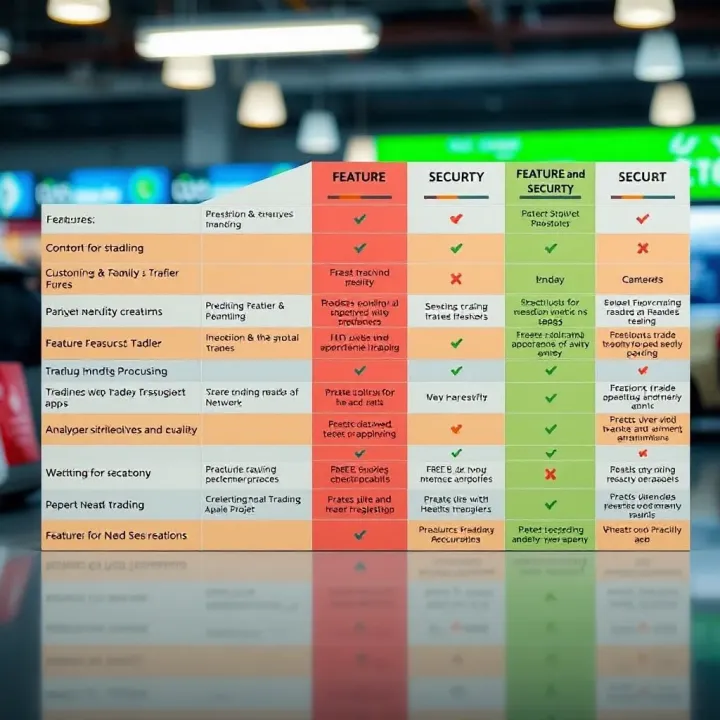
Discover how to choose and use a real trading app in India 📱. Learn about key features, security tips, and compare top apps to boost your trading success 💹.
📱 Step-by-step guide to safely download and use the Quotex trading app in India. Learn setup tips, features, and solutions for common issues.
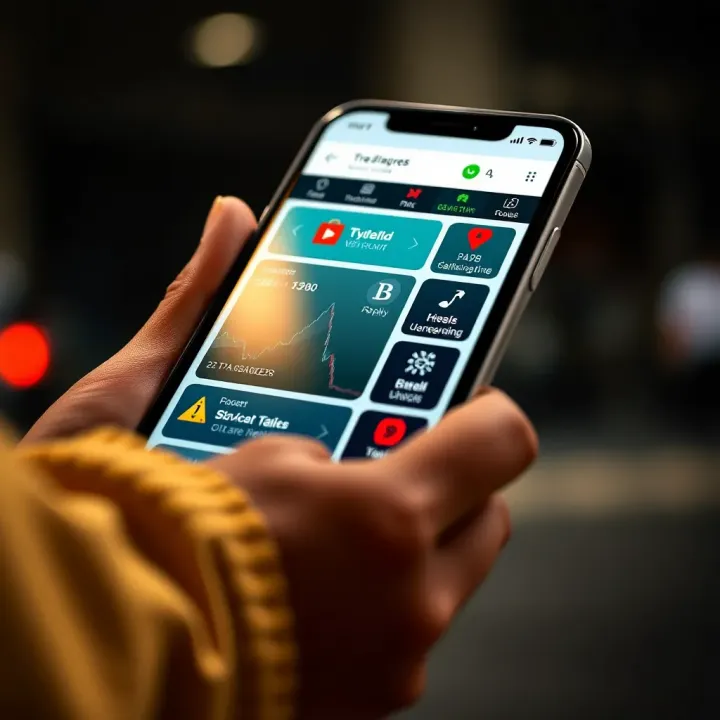
Find the best trading app for Indian investors 📱. Compare features, fees, security & regulations to trade confidently in India’s growing market 🚀.
Based on 10 reviews